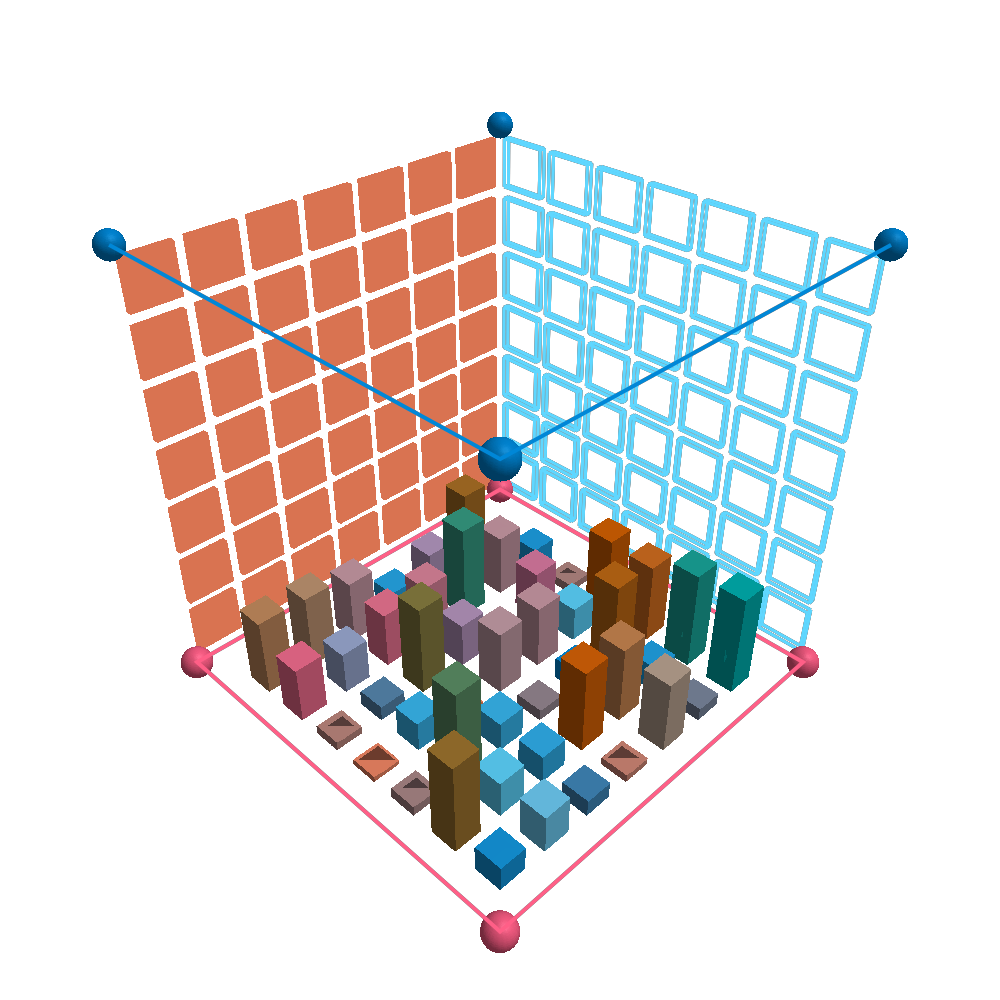
DimArrays
DimArrays are wrappers for other kinds of AbstractArray that add named dimension lookups.
Here we define a Matrix of Float64, and give it X and Y dimensions
julia> using DimensionalData

julia> A = rand(5, 10)
5×10 Matrix{Float64}:
0.599558 0.115811 0.000139574 … 0.864811 0.0358509 0.463484
0.624685 0.120066 0.817239 0.355726 0.613489 0.77483
0.546357 0.00618571 0.355605 0.790492 0.98348 0.881394
0.407207 0.675435 0.329038 0.807284 0.754703 0.607734
0.67539 0.216524 0.666189 0.231238 0.699601 0.422872julia> da = DimArray(A, (X, Y))┌ 5×10 DimArray{Float64, 2} ┐
├───────────────────────────┴────────────────────────────── dims ┐
↓ X, → Y
└────────────────────────────────────────────────────────────────┘
0.599558 0.115811 0.000139574 … 0.864811 0.0358509 0.463484
0.624685 0.120066 0.817239 0.355726 0.613489 0.77483
0.546357 0.00618571 0.355605 0.790492 0.98348 0.881394
0.407207 0.675435 0.329038 0.807284 0.754703 0.607734
0.67539 0.216524 0.666189 0.231238 0.699601 0.422872We can access a value with the same dimension wrappers:
julia> da[Y(1), X(2)]0.6246845935475517There are shortcuts for creating DimArray:
julia> A = rand(5, 10)5×10 Matrix{Float64}:
0.223602 0.737979 0.996807 0.194501 … 0.0959042 0.628507 0.893267
0.0392779 0.792885 0.249616 0.519235 0.0315486 0.113704 0.997572
0.451879 0.0959455 0.373575 0.891743 0.700389 0.958811 0.00385747
0.689712 0.0927459 0.765773 0.273573 0.688928 0.761347 0.596077
0.0102884 0.688175 0.254555 0.081724 0.239557 0.886959 0.386439julia> DimArray(A, (X, Y))┌ 5×10 DimArray{Float64, 2} ┐
├───────────────────────────┴────────────────────────────── dims ┐
↓ X, → Y
└────────────────────────────────────────────────────────────────┘
0.223602 0.737979 0.996807 0.194501 … 0.0959042 0.628507 0.893267
0.0392779 0.792885 0.249616 0.519235 0.0315486 0.113704 0.997572
0.451879 0.0959455 0.373575 0.891743 0.700389 0.958811 0.00385747
0.689712 0.0927459 0.765773 0.273573 0.688928 0.761347 0.596077
0.0102884 0.688175 0.254555 0.081724 0.239557 0.886959 0.386439julia> DimArray(A, (X, Y); name=:DimArray, metadata=Dict())┌ 5×10 DimArray{Float64, 2} DimArray ┐
├────────────────────────────────────┴───────────────────── dims ┐
↓ X, → Y
├────────────────────────────────────────────────────── metadata ┤
Dict{Any, Any}()
└────────────────────────────────────────────────────────────────┘
0.223602 0.737979 0.996807 0.194501 … 0.0959042 0.628507 0.893267
0.0392779 0.792885 0.249616 0.519235 0.0315486 0.113704 0.997572
0.451879 0.0959455 0.373575 0.891743 0.700389 0.958811 0.00385747
0.689712 0.0927459 0.765773 0.273573 0.688928 0.761347 0.596077
0.0102884 0.688175 0.254555 0.081724 0.239557 0.886959 0.386439Constructing DimArray with arbitrary dimension names
For arbitrary names, we can use the Dim{:name} dims by using Symbols, and indexing with keywords:
julia> da1 = DimArray(rand(5, 5), (:a, :b))┌ 5×5 DimArray{Float64, 2} ┐
├──────────────────────────┴─────────────────────────────── dims ┐
↓ a, → b
└────────────────────────────────────────────────────────────────┘
0.677974 0.468066 0.347379 0.250913 0.71194
0.0599255 0.247198 0.813229 0.391395 0.0779205
0.557369 0.0558987 0.44104 0.178902 0.20412
0.104867 0.497181 0.570254 0.906883 0.740523
0.176197 0.675467 0.208384 0.438447 0.108968and get a value, here another smaller DimArray:
julia> da1[a=3, b=1:3]┌ 3-element DimArray{Float64, 1} ┐
├────────────────────────────────┴ dims ┐
↓ b
└─────────────────────────────────┘
0.557369
0.0558987
0.44104Dimensional Indexing
When used for indexing, dimension wrappers free us from knowing the order of our objects axes. These are the same:
julia> da[X(2), Y(1)] == da[Y(1), X(2)]trueWe also can use Tuples of dimensions, like CartesianIndex, but they don't have to be in order of consecutive axes.
julia> da2 = rand(X(10), Y(7), Z(5))┌ 10×7×5 DimArray{Float64, 3} ┐
├─────────────────────────────┴────────────────────────────────────────── dims ┐
↓ X, → Y, ↗ Z
└──────────────────────────────────────────────────────────────────────────────┘
[:, :, 1]
0.601474 0.770316 0.121375 0.653583 0.754787 0.734051 0.728566
0.113873 0.201362 0.253984 0.766078 0.0874616 0.865529 0.834503
0.910981 0.488029 0.121186 0.178924 0.622239 0.137163 0.444573
0.436293 0.32806 0.830187 0.418942 0.0802459 0.920466 0.100866
0.426888 0.724709 0.244758 0.900699 0.869071 0.612159 0.547862
0.337576 0.21149 0.864156 0.532522 0.999816 0.0563317 0.657784
0.511078 0.716257 0.0729868 0.864245 0.571281 0.0505545 0.581205
0.503823 0.0130048 0.843617 0.841899 0.585057 0.0718358 0.849622
0.789198 0.361921 0.588227 0.669047 0.361346 0.118184 0.328158
0.46788 0.15163 0.374664 0.970273 0.352266 0.185991 0.00917228julia> da2[(X(3), Z(5))]┌ 7-element DimArray{Float64, 1} ┐
├────────────────────────────────┴ dims ┐
↓ Y
└─────────────────────────────────┘
0.4623
0.949895
0.858996
0.370314
0.207916
0.301589
0.627954We can index with Vector of Tuple{Vararg(Dimension}} like vectors of CartesianIndex. This will merge the dimensions in the tuples:
julia> inds = [(X(3), Z(5)), (X(7), Z(4)), (X(8), Z(2))]3-element Vector{Tuple{X{Int64}, Z{Int64}}}:
(↓ X 3, → Z 5)
(↓ X 7, → Z 4)
(↓ X 8, → Z 2)julia> da2[inds]┌ 7×3 DimArray{Float64, 2} ┐
├──────────────────────────┴───────────────────────────────────────────── dims ┐
↓ Y ,
→ XZ MergedLookup{Tuple{Int64, Int64}} [(3, 5), (7, 4), (8, 2)] ↓ X, → Z
└──────────────────────────────────────────────────────────────────────────────┘
(3, 5) (7, 4) (8, 2)
0.4623 0.9076 0.176773
0.949895 0.7711 0.634871
0.858996 0.66421 0.549449
0.370314 0.927939 0.114948
0.207916 0.732887 0.557565
0.301589 0.0465234 0.761941
0.627954 0.859607 0.726392DimIndices can be used like CartesianIndices but again, without the constraint of consecutive dimensions or known order.
julia> da2[DimIndices(dims(da2, (X, Z))), Y(3)]┌ 10×5 DimArray{Float64, 2} ┐
├───────────────────────────┴────────────────────────────── dims ┐
↓ X, → Z
└────────────────────────────────────────────────────────────────┘
0.121375 0.764683 0.352277 0.788737 0.070545
0.253984 0.688867 0.622256 0.781584 0.42464
0.121186 0.0991426 0.251405 0.613636 0.858996
0.830187 0.633674 0.763705 0.0527406 0.622795
0.244758 0.549247 0.440882 0.919287 0.101489
0.864156 0.454057 0.539601 0.27312 0.219006
0.0729868 0.735011 0.965523 0.66421 0.873011
0.843617 0.549449 0.570534 0.0519833 0.306851
0.588227 0.0948771 0.0566702 0.0343995 0.707163
0.374664 0.532878 0.967339 0.283966 0.122772The Dimension indexing layer sits on top of regular indexing and can not be combined with it! Regular indexing specifies order, so doesn't mix well with our dimensions.
Mixing them will throw an error:
julia> da1[X(3), 4]ERROR: ArgumentError: invalid index: X{Int64}(3) of type X{Int64}Begin End indexing
julia> da[X=Begin+1, Y=End]0.7748300143766251It also works in ranges, even with basic math:
julia> da[X=Begin:Begin+1, Y=Begin+1:End-1]┌ 2×8 DimArray{Float64, 2} ┐
├──────────────────────────┴─────────────────────────────── dims ┐
↓ X, → Y
└────────────────────────────────────────────────────────────────┘
0.115811 0.000139574 0.90568 0.70082 … 0.13399 0.864811 0.0358509
0.120066 0.817239 0.317462 0.208163 0.297027 0.355726 0.613489In base julia the keywords begin and end can be used to index the first or last element of an array. But this doesn't work when named indexing is used. Instead you can use the types Begin and End.
Indexing
Indexing AbstractDimArrays works with getindex, setindex! and view. The result is still an AbstracDimArray, unless using all single Int or Selectors that resolve to Int inside Dimension.
dims keywords
In many Julia functions like, size or sum, you can specify the dimension along which to perform the operation as an Int. It is also possible to do this using Dimension types with AbstractDimArray:
julia> da5 = rand(X(3), Y(4), Ti(5))┌ 3×4×5 DimArray{Float64, 3} ┐
├────────────────────────────┴─────────────────────────────────────────── dims ┐
↓ X, → Y, ↗ Ti
└──────────────────────────────────────────────────────────────────────────────┘
[:, :, 1]
0.435719 0.0463176 0.329515 0.411529
0.88841 0.257822 0.152765 0.0450386
0.284399 0.706267 0.768639 0.620055julia> sum(da5; dims=Ti)┌ 3×4×1 DimArray{Float64, 3} ┐
├────────────────────────────┴─────────────────────────────────────────── dims ┐
↓ X, → Y, ↗ Ti
└──────────────────────────────────────────────────────────────────────────────┘
[:, :, 1]
3.19042 2.57575 2.64823 1.72858
3.8686 2.17542 1.88515 2.65226
2.73902 1.79337 1.69044 1.70284Dims keywords
Methods where dims, dim types, or Symbols can be used to indicate the array dimension:
size,axes,firstindex,lastindexcat,reverse,dropdimsreduce,mapreducesum,prod,maximum,minimummean,median,extrema,std,var,cor,covpermutedims,adjoint,transpose,Transposemapslices,eachslice
Performance
Indexing with Dimensions has no runtime cost. Let's benchmark it:
julia> using BenchmarkTools

julia> da4 = ones(X(3), Y(3))
┌ 3×3 DimArray{Float64, 2} ┐
├──────────────────────────┴─────────────────────────────── dims ┐
↓ X, → Y
└────────────────────────────────────────────────────────────────┘
1.0 1.0 1.0
1.0 1.0 1.0
1.0 1.0 1.0julia> @benchmark $da4[X(1), Y(2)]BenchmarkTools.Trial: 10000 samples with 1000 evaluations per sample.
Range (min … max): 3.095 ns … 19.217 ns ┊ GC (min … max): 0.00% … 0.00%
Time (median): 3.106 ns ┊ GC (median): 0.00%
Time (mean ± σ): 3.127 ns ± 0.430 ns ┊ GC (mean ± σ): 0.00% ± 0.00%
█
▃▁█▁▁▂▁▁▁▁▁▁▁▁▁▁▁▁▁▁▁▁▁▁▁▁▁▅▁▁█▁▁▁▁▁▁▁▁▁▁▁▁▁▁▁▁▁▁▁▁▁▁▁▁▂▁▂ ▂
3.1 ns Histogram: frequency by time 3.12 ns <
Memory estimate: 0 bytes, allocs estimate: 0.the same as accessing the parent array directly:
julia> @benchmark parent($da4)[1, 2]BenchmarkTools.Trial: 10000 samples with 1000 evaluations per sample.
Range (min … max): 3.095 ns … 20.489 ns ┊ GC (min … max): 0.00% … 0.00%
Time (median): 3.106 ns ┊ GC (median): 0.00%
Time (mean ± σ): 3.135 ns ± 0.480 ns ┊ GC (mean ± σ): 0.00% ± 0.00%
▂ █
▄▁█▁▁▂▁▁▁▁▁▁▁▁▁▁▁▁▁▁▁▁▁▁▁▁▁▁▄▁▁█▁▁▁▁▁▁▁▁▁▁▁▁▁▁▁▁▁▁▁▁▁▁▁▁▁▂ ▂
3.1 ns Histogram: frequency by time 3.12 ns <
Memory estimate: 0 bytes, allocs estimate: 0.